The right printer can make or break your loan signing business. You need something that handles mixed letter/legal documents, prints 200+ page packages without jamming, and doesn't break the bank on toner. This comprehensive guide covers everything from dual-tray workhorses to portable options.
Quick Answer: Best Printers for Notaries
Best Overall: Brother HL-L5210DWT (~$400) - Proven dual-tray workhorse
Best Budget: Brother HL-L2395DW (~$200) - Single tray, manual paper switching
Best Portable: HP OfficeJet 250 (~$300) - Prints anywhere, includes battery
Best Premium: Brother HL-L6310DW (~$600) - 52 ppm, enterprise security
Best All-in-One: Brother MFC-L2750DW (~$250) - Print, scan, copy, fax
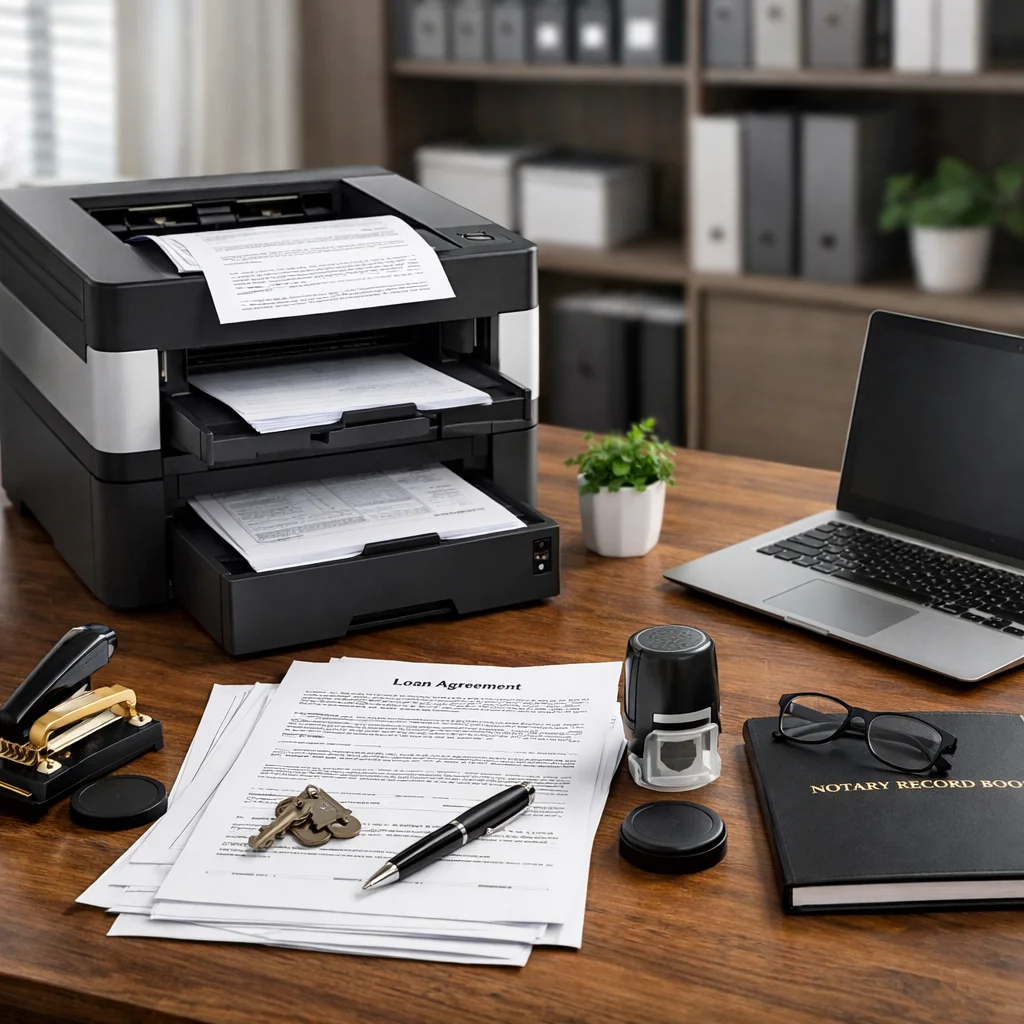
Why Your Printer Choice Matters for Loan Signings
As a mobile notary or loan signing agent, your printer is your most important piece of equipment. You routinely print 100-300 page mortgage packages that mix letter-size disclosures with legal-size deeds. You need speed, reliability, and the ability to handle both paper sizes automatically.
What Makes a Printer "Loan Signing Ready"?
- ✓ Dual paper trays - Automatic switching between letter and legal
- ✓ Laser printing - Fast, crisp text that won't smudge
- ✓ High paper capacity - 500+ sheets to print full packages without reloading
- ✓ Duplex printing - Automatic two-sided for efficiency
- ✓ 40+ ppm speed - Print 200-page packages in 5-6 minutes
- ✓ Wireless connectivity - Print from phone/laptop/tablet
A cheap inkjet from Costco might work for general notarizations, but it'll slow you down and cost more in the long run. Let's break down exactly what you need and why.
Laser vs Inkjet: Which is Better for Notaries?
This is the first decision you'll make. For loan signing agents, laser printers are almost always the right choice.
| Feature | Laser Printer | Inkjet Printer |
|---|---|---|
| Print Speed | 40-52 pages per minute | 8-15 pages per minute |
| Cost Per Page | $0.02-0.03 per page | $0.05-0.15 per page |
| 200-Page Package | 4-5 minutes, $4-6 cost | 13-25 minutes, $10-30 cost |
| Smudge Resistance | Excellent - toner is fused to paper | Poor - ink can smudge when wet |
| Monthly Volume | 2,000-10,000 pages | 300-1,000 pages |
| Warm-Up Time | 10-30 seconds | Instant |
| Initial Cost | $150-600 | $50-200 |
| Best For | Loan signings, high volume | General notarizations, low volume |
Bottom line: If you do more than 5 loan signings per month, laser printers pay for themselves within 6 months through speed and lower cost per page.
Dual-Tray vs Single-Tray: Do You Really Need Dual Trays?
Dual-tray printers cost $100-300 more than single-tray models. Is it worth it?
Why Dual Trays Matter for Loan Signings
Loan packages contain both letter-size (8.5" × 11") and legal-size (8.5" × 14") documents. A typical 200-page refinance package might be:
- 150 pages letter-size (disclosures, applications, forms)
- 50 pages legal-size (deeds, deeds of trust, mortgages)
With a single-tray printer: You must manually sort the document, print all letter-size pages, swap paper, print all legal-size pages, then re-collate everything. This takes 10-15 minutes per package.
With a dual-tray printer: Load letter paper in Tray 1, legal paper in Tray 2, click print. The printer automatically pulls from the correct tray. Takes 5-6 minutes per package with zero manual sorting.
Time Savings Calculation:
10 loan signings per month × 10 minutes saved per signing = 100 minutes saved monthly
That's 1.67 hours you could spend doing another signing at $150 = dual-tray printer pays for itself in 2-3 months.
Verdict: If you do loan signings regularly (5+ per month), dual-tray is essential. If you're only doing general notarizations, single-tray is fine.
Essential Features Every Loan Signing Printer Needs
When shopping for a notary printer, use this checklist:
✓ Print Speed: 40+ Pages Per Minute
Why it matters: A 200-page loan package takes 5 minutes at 40 ppm vs 13 minutes at 15 ppm.
What to look for: Brother and HP laser printers typically print 40-52 ppm. Anything under 30 ppm is too slow for loan signings.
✓ Paper Capacity: 500+ Sheets
Why it matters: Large loan packages can be 250-350 pages. You don't want to reload paper mid-print.
What to look for: Look for printers with 520-sheet or dual 250-sheet trays. Expandable capacity (add-on trays) is a bonus.
✓ Automatic Duplex Printing
Why it matters: Some signing companies request two-sided printing to save paper. Manual duplex is a nightmare.
What to look for: "Automatic duplex" or "two-sided printing" in specs. Most modern laser printers have this.
✓ Wireless Connectivity
Why it matters: Print from your laptop at the kitchen table, or from your phone if you get a last-minute doc change.
What to look for: Wi-Fi, AirPrint (iOS), Google Cloud Print (Android), Wi-Fi Direct.
✓ High Monthly Duty Cycle
Why it matters: "Duty cycle" is the maximum pages per month the printer can handle without damage.
What to look for: Minimum 2,000 pages/month for part-time, 5,000+ for full-time loan signing agents.
✓ Low Cost Per Page
Why it matters: Toner costs add up fast. A printer with $0.02/page vs $0.05/page saves you $60 per 2,000 pages.
What to look for: High-yield toner cartridges (3,000+ pages). Brother's TN-920UXXL yields 18,000 pages.
What Loan Signing Experts Recommend

Mark Wills
Founder, Loan Signing System
"The printer I personally use in my own loan signing agent business is a Brother dual tray laser printer. It's wireless and prints at a very affordable price per sheet."
Mark Wills has trained over 100,000 loan signing agents through his Loan Signing System, and consistently emphasizes the importance of having reliable, professional equipment from day one.
Best Printers for Loan Signing Agents (Detailed Reviews)
Now let's look at specific models. These are ranked by popularity among working notary signing agents.
Brother HL-L5210DWT - The Notary Standard
Key Specifications
Print Speed: 42 pages per minute
Paper Capacity: 770 sheets standard (250 + 520-sheet trays)
Expandable To: 1,340 sheets with optional tray
Duplex: Automatic two-sided printing
Connectivity: Wi-Fi, Ethernet, USB, Wi-Fi Direct
Monthly Duty Cycle: 50,000 pages
Cost Per Page: ~$0.023
Price: ~$400-450
What Notaries Are Saying: Reviews from the Field
"As a mobile notary, this Brother HL-L5210DWT has been a game-changer. The dual trays automatically switch between letter and legal - I can print a 200-page closing package in under 6 minutes. Worth every penny."
— Lisa M., Certified Signing Agent, Phoenix AZ
"Bought this after reading reviews from other notaries. I do 15-20 signings per month and this printer hasn't jammed once in 8 months. Toner lasts forever. My only regret is not buying it sooner."
— David R., Loan Signing Agent, Dallas TX
"This printer was exactly what I was looking for. It works great! I like all the features. I recommend it if you need a two-tray laser printer. Especially if you do Notary loan signing work."
— J.O., Loan Signing Agent
"Working perfectly for my job as a notary signing agent. I print 250-page mixed letter/legal packages and it prints very quickly and the print is clear. The printer automatically pulls the right size from each tray."
— Verified Notary Signing Agent Review
Pros:
- Proven reliable by thousands of notaries
- Dual trays handle mixed packages perfectly
- Fast enough for high-volume work
- High-yield toner keeps costs down
- Works seamlessly with Mac and Windows
Cons:
- $400+ upfront cost (but pays for itself quickly)
- Large footprint - not ideal for tiny home offices
- No scanning capability (print only)
Bottom line: The HL-L5210DWT is the gold standard for loan signing agents. It's what most successful signing agents use, and for good reason.
Brother HL-L6210DWT - Upgraded Dual-Tray Beast
Print Speed: 48-50 ppm
Paper Capacity: 1,140 sheets (dual 520-sheet trays + 100-sheet multipurpose)
Expandable To: 1,660 sheets
Cost Per Page: ~$0.018 (lower than L5210)
Monthly Duty Cycle: 50,000 pages
Price: ~$400-450
This 2024/2025 model improves on the L5210 with bigger trays (two 520-sheet trays instead of 250+520) and lower cost per page thanks to Brother's TN-920UXXL super high-yield toner (18,000 pages).
Best for: High-volume signing agents who print 5,000+ pages per month and want to minimize toner replacements and paper refills.
Brother HL-L6310DW - Enterprise-Grade Speed Machine
Print Speed: 52 ppm (fastest in this guide)
Paper Capacity: 620 sheets standard
Expandable To: 1,660 sheets
Security: NFC card reader, triple-layer security
Monthly Duty Cycle: 100,000 pages
Price: ~$450
The HL-L6310DW is overkill for most solo signing agents, but perfect if you run a signing agency with multiple agents or handle 10+ signings per day.
The built-in NFC card reader lets you require badge authentication before printing - important when handling sensitive borrower data.
Best for: Signing agencies, high-security requirements, extremely high volume (10,000+ pages/month).
Brother HL-L2480DW - Best Budget Single-Tray Option
Print Speed: 36 ppm
Paper Capacity: 250 sheets (single tray)
Duplex: Automatic
Connectivity: Wi-Fi, USB
Monthly Duty Cycle: 15,000 pages
Price: ~$200-250
This is the best budget option for notaries who do mostly general notarizations with occasional loan signings. You'll need to manually swap paper between letter and legal, but it's fast and reliable.
Best for: Part-time notaries, general notarizations, those who can't justify $400+ for a dual-tray model yet.
Best Portable Printer for Mobile Notaries
Most loan packages are printed at home before you leave, but sometimes you need to print on-site (document corrections, last-minute changes, etc.). Here's the best portable option:
HP OfficeJet 250 - Print Anywhere
Print Speed: 10 ppm (color), 10 ppm (black)
Paper Capacity: 50 sheets
Battery: Built-in rechargeable (50 pages per charge)
Size: 14.96" × 7.48" × 3.43" (fits in backpack)
Weight: 6.17 lbs
Price: ~$400-450
This is an inkjet printer (not laser), so don't use it as your primary printer. But for emergency printing at signings, it's perfect. Fits in your notary bag, runs on battery, and can print via Wi-Fi from your phone.
Real scenario: You arrive at a signing and the borrower says "we just got this updated disclosure this morning, can you print it?" Pull out the OfficeJet 250, print the 3 pages, and continue with the signing. Without it, you'd have to reschedule.
HP Alternatives (If You Prefer HP Over Brother)
Brother dominates the notary market, but HP makes quality printers too. Here are the best HP options:
HP LaserJet Pro M404n
Specs: 40 ppm, 250-sheet tray (expandable to 550 with optional tray), ~$350
Single-tray by default, but you can add a 550-sheet optional tray for about $200 to make it dual-tray capable. Part of HP's Wolf Pro Security line.
Best for: Those who want HP reliability and business-grade security, willing to buy the second tray separately.
HP LaserJet Enterprise MFP M528dn
Specs: 45 ppm, dual trays, print/scan/copy/fax, 200+ security features, ~$1,200+
Enterprise-grade all-in-one with scanning and the strongest security features in this guide. Overkill for solo notaries, perfect for signing agencies or offices that need scanning/faxing.
Best for: Signing agencies, notary offices, those who need enterprise security and scanning.
Best All-in-One Printer (Print + Scan + Copy + Fax)
If you need scanning capability (for uploading IDs, making copies of documents, or scan-backs), consider an all-in-one:
Brother MFC-L2750DW - Compact All-in-One
Functions: Print, scan, copy, fax
Print Speed: 36 ppm
Paper Capacity: 250 sheets (single tray)
Scan: 50-page auto document feeder
Duplex: Automatic
Price: ~$250-300
This is a single-tray printer, so you'll manually swap between letter and legal. But if you need scanning and don't want to spend $1,000+ on the HP M528dn, this is your best bet.
Best for: Notaries who do scan-backs, need to scan borrower IDs, or want copy/fax capability without breaking the bank.
Complete Printer Comparison Chart
| Model | Speed | Paper Trays | Capacity | Best For | Price |
|---|---|---|---|---|---|
| Brother HL-L5210DWT | 42 ppm | Dual (250+520) | 770 sheets | Most loan signing agents | ~$400 |
| Brother HL-L6210DWT | 48-50 ppm | Dual (520+520) | 1,140 sheets | High-volume agents | ~$550 |
| Brother HL-L6310DW | 52 ppm | Single + multipurpose | 620 sheets | Signing agencies | ~$650 |
| Brother HL-L2395DW | 36 ppm | Single (250) | 250 sheets | Budget/part-time | ~$220 |
| HP OfficeJet 250 | 10 ppm | 50 sheets | 50 sheets | Portable/emergency | ~$330 |
| HP LaserJet M404n | 40 ppm | Single (expandable) | 250 sheets | HP preference | ~$350 |
| Brother MFC-L2750DW | 36 ppm | Single (250) | 250 sheets | Need scan/copy/fax | ~$280 |
| HP M528dn | 45 ppm | Dual | 550 sheets | Enterprise/agencies | ~$1,200 |
True Cost of Ownership: Initial Price vs Operating Costs
Don't just look at the sticker price. Calculate total cost over 2 years:
Example: Brother HL-L5210DWT vs HP OfficeJet Inkjet
| Cost Factor | Brother HL-L5210DWT (Laser) | HP OfficeJet (Inkjet) |
|---|---|---|
| Initial Purchase | $420 | $150 |
| Cost Per Page | $0.023 | $0.08 |
| 20 Loan Signings × 200 Pages = 4,000 pages | $92 | $320 |
| Year 1 Total (20 signings) | $512 | $470 |
| Year 2 Total (40 more signings) | $512 + $184 = $696 | $470 + $640 = $1,110 |
| 2-Year Savings with Laser | $414 saved over inkjet | |
Key insight: The laser printer costs more upfront but saves $414 over 2 years. Plus it prints 4x faster, saving you hours of time.
Common Printer Mistakes Notaries Make
❌ Buying an Inkjet for Loan Signings
Inkjets are 3-4x more expensive per page and 4x slower. A 200-page package costs $16 in ink vs $5 in toner, and takes 20 minutes vs 5 minutes. Don't do it.
❌ Skipping the Second Tray to Save Money
You'll spend 10+ minutes per signing manually sorting paper. That's time you could spend doing another signing. The dual-tray upgrade pays for itself in 2-3 months.
❌ Not Checking Monthly Duty Cycle
Cheap printers rated for 1,000 pages/month will break if you print 5,000. Check the duty cycle and make sure it matches your volume.
❌ Buying Third-Party Toner to Save $20
Third-party toner causes print quality issues, jams, and can void your warranty. Stick with OEM (Brother, HP) toner cartridges.
❌ Not Having a Backup Printer
Your printer will die the morning of your biggest signing. Have a backup plan (second printer, UPS/FedEx location nearby, or friend with a printer).
How to Choose the Right Printer for Your Needs
Use this decision tree:
Decision Tree:
Do you do loan signings regularly (5+ per month)?
YES → You need a dual-tray laser printer
NO → Single-tray laser is fine (Brother HL-L2395DW)
What's your monthly page volume?
Under 2,000 pages → Brother HL-L5210DWT
2,000-5,000 pages → Brother HL-L5210DWT or HL-L6210DWT
5,000+ pages → Brother HL-L6210DWT or HL-L6310DW
Do you need scanning/copying?
YES, budget-friendly → Brother MFC-L2750DW
YES, enterprise-grade → HP LaserJet M528dn
NO → Stick with print-only models (cheaper, more reliable)
Do you need to print on-site at signings?
YES → Add HP OfficeJet 250 as backup/portable
NO → Just get a good desktop laser
What's your budget?
Under $250 → Brother HL-L2395DW (single-tray)
$400-500 → Brother HL-L5210DWT (the standard)
$500-700 → Brother HL-L6210DWT or HL-L6310DW
$1,000+ → HP M528dn (if you need all-in-one)
How to Set Up Your New Printer (Step-by-Step)
You just received your Brother HL-L5210DWT. Here's how to get it ready for your first loan signing:
Setup Timeline: 20 Minutes
- 1. Unbox and Remove Packing Materials (5 min)
Remove all orange tape and packing materials from inside the printer and paper trays
- 2. Install Toner Cartridge (2 min)
Open front panel, remove toner from box, shake gently 5-6 times, remove orange protective cover, insert into printer
- 3. Load Paper (3 min)
Tray 1: 250 sheets letter-size (8.5" × 11")
Tray 2: 520 sheets legal-size (8.5" × 14")
Pro tip: Fan the paper before loading to prevent jams
- 4. Connect to Wi-Fi (5 min)
On printer screen: Menu → Network → WLAN → Setup Wizard → Select your network → Enter password
- 5. Install Printer Driver on Computer (5 min)
Visit brother.com/downloads, enter model HL-L5210DWT, download driver for your OS
- 6. Print Test Page
Print a mixed letter/legal test document to verify both trays are working correctly
Printer Maintenance Tips for Long Life
- Use high-quality paper - Cheap paper causes jams. Use 24lb or 28lb copy paper from name brands.
- Clean the printer monthly - Run a cleaning cycle and wipe down the rollers with a damp cloth.
- Replace toner before it's empty - Running a cartridge dry can damage the drum. Replace when you hit 10% remaining.
- Keep firmware updated - Brother and HP release firmware updates that fix bugs and improve performance.
- Don't overfill paper trays - Leave 1/2" of space at the top to prevent jams.
- Print regularly - Printers that sit unused for weeks develop issues. Print at least once per week even if it's just a test page.
- Keep it dust-free - Dust causes paper feed issues. Cover your printer when not in use or keep it in a clean area.
Ready to Set Up Your Notary Business?
A great printer is just the start. Check out our complete mobile notary supplies guide for everything else you need.
See Complete Supplies ChecklistFrequently Asked Questions
What is the best printer for a notary signing agent?
The Brother HL-L5210DWT is the most popular choice among loan signing agents. It has dual trays for automatic letter/legal switching, prints 42 ppm, holds 770 sheets, and costs ~$400. It's reliable, fast, and has excellent notary reviews.
Do I need a laser printer for notary work?
If you do loan signings, yes. Laser printers are 3-4x faster than inkjets (42 ppm vs 10 ppm), have much lower cost per page ($0.02 vs $0.08), and produce crisp text that won't smudge. Inkjets are fine for occasional general notarizations but can't handle high-volume loan signing work.
Do I really need a dual-tray printer?
If you do 5+ loan signings per month, yes. Dual-tray printers automatically switch between letter and legal paper, saving you 10-15 minutes per signing. At $150 per signing, the time savings pay for the printer upgrade ($200-300 extra) within 2-3 months.
What's the difference between Brother HL-L5210DWT and HL-L6210DWT?
The HL-L6210DWT is newer and has bigger trays (dual 520-sheet trays vs 250+520), slightly faster speed (48-50 ppm vs 42 ppm), and lower cost per page (~$0.018 vs $0.023). It costs about $100-150 more. Get the L6210 if you print 5,000+ pages per month, otherwise the L5210 is fine.
How much does it cost to print a 200-page loan package?
With a laser printer like the Brother HL-L5210DWT: ~$4.60 (200 pages × $0.023/page). With an inkjet: ~$16 (200 pages × $0.08/page). Plus paper costs (~$2-3 per 200 pages). Total cost per package: $6-8 with laser, $18-20 with inkjet.
Can I use an inkjet printer for loan signings?
Technically yes, but it's not recommended. Inkjets are slow (10-15 ppm), expensive per page ($0.08 vs $0.02 for laser), and ink can smudge if documents get wet. If you only do 1-2 signings per month, an inkjet might work, but you'll quickly wish you had a laser.
What is the best portable printer for mobile notaries?
The HP OfficeJet 250 (~$300) is the best portable option. It has a built-in rechargeable battery, prints up to 50 pages per charge, weighs 6 lbs, and fits in a backpack. It's an inkjet (not laser), so use it only for emergency on-site printing, not as your primary printer.
Should I buy an all-in-one printer with scanning?
Only if you need to scan regularly (scan-backs, copying borrower IDs, etc.). All-in-ones cost more, have more parts that can break, and are slower. If you just need printing, get a print-only model. If you need scanning, the Brother MFC-L2750DW (~$280) is the best budget all-in-one.
How long do laser printers last?
A well-maintained laser printer should last 5-10 years. Brother printers are especially durable - many notaries report using the same Brother printer for 7+ years. Key to longevity: use OEM toner, clean regularly, and don't exceed the monthly duty cycle.
What paper should I use for loan documents?
Use 20-24lb bright white copy paper from reputable brands (Hammermill, Georgia-Pacific, Staples brand). Avoid ultra-cheap paper - it causes jams and looks unprofessional. Cost: ~$30-40 per case (2,500 sheets), which is about 300-400 loan packages.
Can I use third-party toner cartridges?
Not recommended. Third-party toner causes print quality issues, paper jams, and can void your warranty. Stick with OEM (Brother, HP) toner. The quality difference is significant, and OEM toner lasts longer, so the real cost difference is smaller than it appears.
Do I need a color printer for notary work?
No. 99.9% of loan documents are black and white. Color laser printers cost 2-3x more and are slower. Save your money and get a monochrome (black and white) laser printer. If you need occasional color printing, use a local print shop or a cheap inkjet for those rare occasions.
What print speed do I need for loan signings?
Minimum 30 ppm, ideally 40+ ppm. At 40 ppm, a 200-page package takes 5 minutes. At 30 ppm, it takes 6.7 minutes. At 15 ppm (typical inkjet), it takes 13+ minutes. The faster the printer, the more signings you can fit into your schedule.
What's the monthly duty cycle and why does it matter?
Duty cycle is the maximum number of pages per month the printer can handle without damage. A printer rated for 15,000 pages/month will break if you consistently print 20,000 pages/month. Match the duty cycle to your volume: part-time notaries need 15,000+, full-time loan signing agents need 50,000+.
Should I get an HP or Brother printer?
Both make quality printers. Brother dominates the notary market because their dual-tray models are more affordable and notaries trust them. HP makes good printers too, especially their enterprise line, but they're typically more expensive for similar specs. For most notaries, Brother offers better value.
What happens if my printer breaks during a busy week?
Always have a backup plan: (1) Keep a second printer (even a cheap one), (2) Know where your nearest FedEx/UPS store is (they print for $0.10-0.15/page), or (3) Have a notary friend nearby you can call in emergencies. Don't let a printer failure cost you $500+ in missed signings.
Complete Your Mobile Notary Setup:
Mobile Notary Supplies Checklist
12 essential items every loan signing agent needs beyond just a printer
Notary Pricing Guide 2026
What to charge for signings to cover your printer investment
Why 2026 is Perfect for Loan Signing Agents
Market conditions and training to start your signing business
Your First 30 Days as a Mobile Notary
Day-by-day action plan after you get your printer